
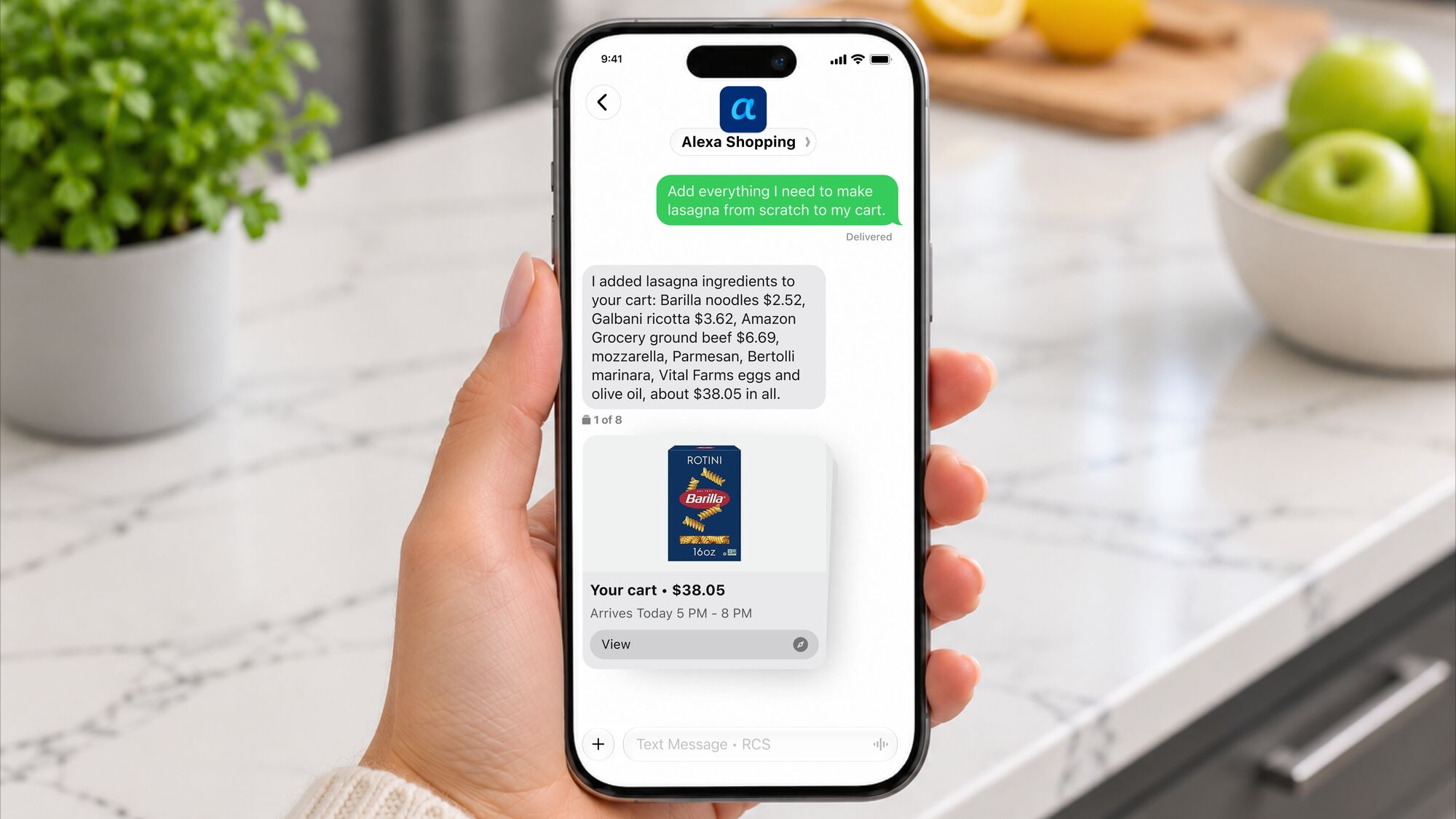
On Friday, Amazon introduced a group of U.S. customers to a new feature via a text message inviting them to try a new shopping experience.
Amazon is now allowing users to text Alexa for Shopping, a new feature that will roll out to millions more customers in the coming weeks. When the feature becomes available, Amazon users will need to accept the terms and link their phone number to start shopping through text messages.
Those with access to the text features can text Alexa for Shopping with prompts that will help with making shopping decisions. Send a text to start a weekly grocery order, search for a birthday gift you need by Saturday, share a photo of the outfit you spotted while scrolling and ask for similar looks, or fire off a quick text that you’re out of dog food and please order more. Alexa will then search for products, compare prices, and give recommendations. The tool will learn over time, based on customer preferences and habits. Providing more details, like your interest in running or favorite brands, will help to tailor the experience.
“Customers often jot down what they need the moment they think of it in their notes, in their messages, in their group chats,” said Rajiv Mehta, vice president of Conversational Shopping at Amazon. “Now with Alexa for Shopping, your personal shopping agent is just a text away. Message it what you need, and Alexa goes to work on your behalf—searching, comparing, and buying so you can get on with your day.”
Here are some of the ways Amazon recommends using texts with Alexa for Shopping.
- Hand off your to-do list. Text “I’m out of dog food, need a birthday gift for my sister, and we‘re low on paper towels” and Alexa for Shopping gets to work on all three, messaging back with product suggestions as it finds them.
- Simplify grocery shopping. Set up a weekly grocery order, text a photo of a recipe to add all the ingredients to your cart, or plan a last-minute brunch by texting “deliver eggs, bacon, pancake mix, and maple syrup in 30 minutes.” Make changes on the fly by texting “add broccoli to my last order,” or ask for dinner ideas based on what you‘ve recently purchased.
- Reorder in seconds. Text “reorder the laundry detergent I bought last month,” and Alexa for Shopping finds it and buys it with your approval.
- Personalize your experience. Tell Alexa for Shopping how you like to shop and it remembers. Say things like “add items to my cart automatically,” “only show me organic options,” or “give me nutritional information whenever I ask about food.”
- Send a photo. Spot an item you like while scrolling or out in the world? Send Alexa for Shopping a photo and it finds similar products on Amazon.
- Track deals and prices. Text “let me know when AirPods go on sale,” and Alexa for Shopping watches on your behalf, alerting you when the price drops.
- Manage your lists. Text “add oat milk to my grocery list“ or “create a new holiday gift list” and Alexa for Shopping handles it instantly.
- Check on orders. Text “where‘s my package?” and get a quick update without opening the app.
- Discover products from across the web. Alexa for Shopping can surface options from stores across the web through Shop Direct.
- Get notified about new releases. Text “update me when Nike drops new running shoes,” and Alexa for Shopping monitors Amazon and the broader web on your behalf, alerting you when something new arrives.
- Compare products. Text “compare the top-rated robot vacuums,” and Alexa for Shopping pulls together key details, reviews, and pricing to help you decide.
- Check price history. Text “what’s the price history on this Kindle?” and Alexa for Shopping shows you up to a full year of pricing so you know if you‘re getting a good deal.
Amazon says that over 400 million customers have used Alexa for Shopping in the last 12 months, with 8x growth since the beginning of this year. Building on last month’s announcement of over 100 new capabilities for Alexa for Shopping, adding a text feature is the next step in making shopping more convenient and personalized for Amazon customers.
